
Project
wifi-card
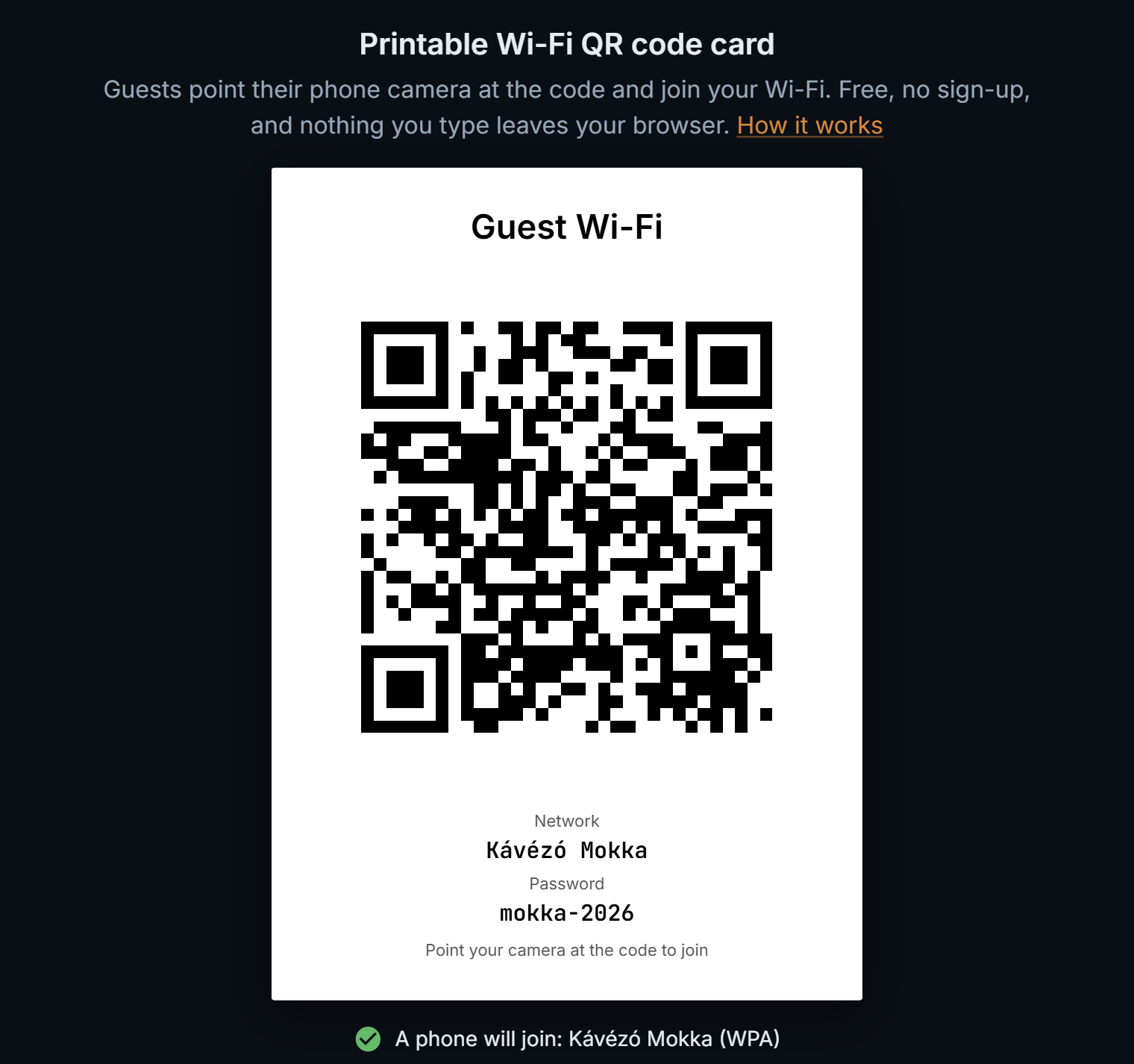
wifi-card.snowmaker.io →It came off a shortlist of weekend ideas, and it won because it was small and specific. A café or a holiday rental that hands out its Wi-Fi is better served by a card with a big QR code than by a password chalked on a board, and phone cameras have joined networks from such codes for years.
The format fits on one line: WIFI:T:WPA;S:name;P:password;;. A semicolon, colon, comma, quote or backslash inside the name or password has to be escaped, and a code that skips it still scans, then will not join. The page escapes them, then decodes its own code the way a phone would and says which network a phone will join, before anything is printed.
const SPECIAL = /([\\;,:"])/g;

export const escapeValue = (value: string) => value.replace(SPECIAL, '\\$1');

export const wifiString = ({ ssid, password, security, hidden }: Network) => {
  const fields = security === 'WPA3' ? ['T:WPA', 'R:1'] : [`T:${security}`];
  fields.push(`S:${escapeValue(ssid)}`);
  // An open network has no password field at all, not an empty one.
  if (security !== 'nopass') fields.push(`P:${escapeValue(password)}`);
  if (hidden) fields.push('H:true');
  return `WIFI:${fields.join(';')};;`;
};
src/lib/wifi.ts – the escaping that most generators skip, and the one line that makes a network WPA3-only.
WPA3 keeps T:WPA. A WPA3-only network adds R:1, which is what Android reads to switch WPA3 on; its parser is the readable reference, since the specification itself sits behind a Wi-Fi Alliance member login. Android unescapes backslashes and nothing else, so the percent-encoding some guides recommend breaks codes there. It also misreads a password that ends in a backslash, so the form warns about that one rather than bending the code around it.
Chrome does not accept A6 as a page size, so every layout declares its paper in millimetres. An inline SVG keeps a few pixels free for descenders, enough to push a full-page card onto a blank second page, so the print copy is a block. A canvas PNG carries no resolution, so the export writes 300 dpi into the file, and Word places it at true A6 instead of three times too large.
Every generator says it stores nothing. Here a Content-Security-Policy lets the page talk only to itself, so nothing typed can leave it, and a hand-written service worker keeps it working offline, which doubles as the proof.
Content-Security-Policy: default-src 'self'; script-src 'self' 'unsafe-inline' https://static.cloudflareinsights.com; style-src 'self' 'unsafe-inline'; font-src 'self' data:; img-src 'self' data: blob:; connect-src 'self'; worker-src 'self'; manifest-src 'self'; object-src 'none'; base-uri 'self'; form-action 'none'; frame-ancestors 'none'public/_headers – the page may only talk to itself; Cloudflare's analytics script is the one outside load.
A tool page is mostly buttons, and buttons tell a search engine nothing, so the page explains itself below the tool: how it works, the four layouts, and the questions people actually ask.
It was tested against a real router's guest network with an iPhone, and every name and password built to break it joined. Like black, it was built with a coding agent. The first hour went on the spec (requirements, layouts, milestones, and what it would not do), and after that it was a sprint of about three hours: the agent wrote the code, and the testing and the calls stayed mine. Which is rather the point. Now that coding agents are actually good (a wink at you, Opus 5.5), a tool this small costs a decent engineer one evening and a single decaf espresso, so there is no longer any excuse for the web's small utilities to come wrapped in adverts, sign-up walls and a cookie banner the size of a door. Democratise the web, one Wi-Fi card at a time.